Wrap your artwork around any 3D model.
Put photos, logos, text, QR codes and textures onto a mug, vase or your own model, see it in 3D, and export a color 3MF ready for multicolor printing.
Free to design · No sign-up to start · Files stay in your browser
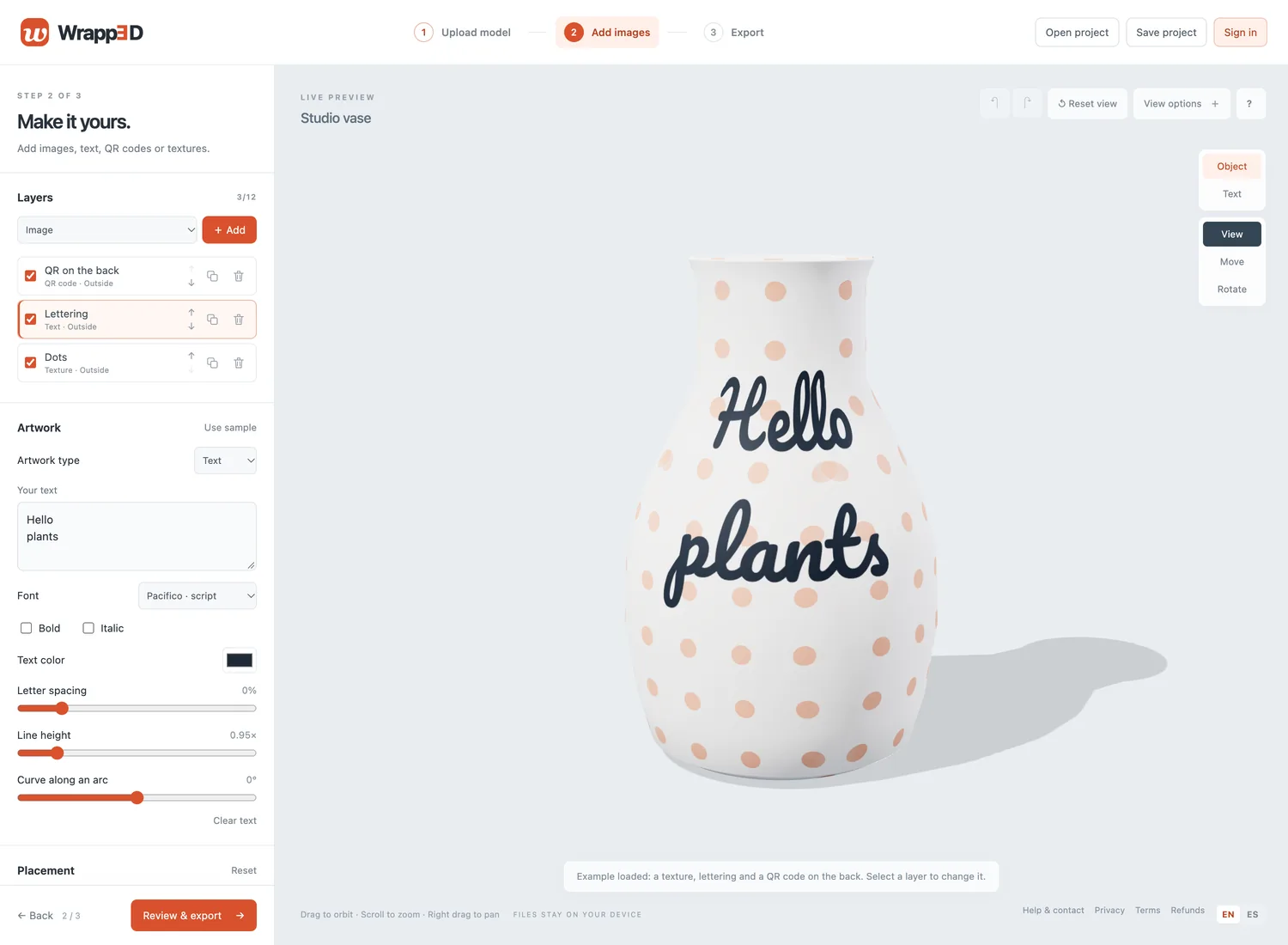
How it works
Three steps, all in your browser.
- 1
Upload a model
Bring a GLB, OBJ or STL file up to 50 MB, or start from a sample vase, cylinder, sphere or cube.
- 2
Add your artwork
Layer images, text, QR codes and textures. Drag them on the object; wrap them around the surface or place them like stickers.
- 3
Export a color 3MF
Set the real size in millimetres and download one color 3MF with the model and its artwork as a texture.
What people make
Anything with a surface worth decorating.
Mugs and cups
A name, a logo or a photo that follows the curve all the way round.
Vases
Patterns and lettering on curved vessels, outside or on the inner wall.
Planters
Textured pots with a plant name, care notes or a little drawing.
Personal gifts
Ornaments, keepsakes and trophies with a message curved along an arc.
QR signs
Table signs and tags with a QR code generated right in the browser.
Pricing
Designing is free. You only pay when you export.
Design
Free
Every tool, unlimited projects, saved in your browser or as a file. No account needed.
Export
Credit packs
Questions
Which file formats does it support?
You can upload GLB (uncompressed, static meshes with embedded assets), OBJ and STL models up to 50 MB. Artwork can be PNG, JPG, WebP or SVG. Wrapp3D exports a 3MF file that uses the standard 3MF Materials extension with a PNG texture for the colors.
Which printers and slicers can print it?
You need a slicer that reads color textures from 3MF files (the 3MF Materials and Properties extension). We are still testing which slicers and multicolor printers handle these files well, so please slice a test file before printing a large job, and let us know what works for you.
Are my designs uploaded?
No. Models and artwork stay in your browser and are never uploaded, unless you are signed in and choose to save a project to your account.
Do I need an account?
Not to design. You can save projects as files and reopen them later. Where exports are paid, you sign in with an emailed link before exporting.
Does it work on my phone?
It works in recent browsers with WebGL 2, including on phones and tablets, but a computer with a mouse is more comfortable for detailed placement.
Ready to wrap something?
Open the studio, load the example, and change it to make it yours.